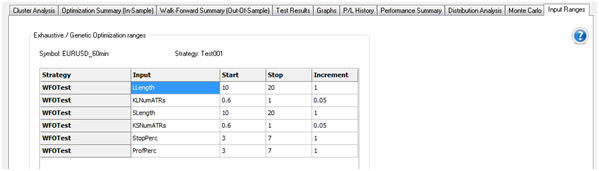
Input Ranges
The Input Ranges tab lets you view the optimization ranges for all inputs used during the exhaustive/genetic optimization in TradeStation that were used to create the trade data on which your walk-forward analysis is based. Thus, when working within the Walk-Forward Optimizer, you no longer have to refer to the Format Analysis Techniques & Strategies dialog within TradeStation to inspect these values.
-
Access from the TradeStation WFO by clicking the Input Ranges tab.